 Athrael.net
A Follow‑up: From Little Scripts to a Full Template
A few weeks ago I shared: The Most Beautiful RAG: Starring Colnomic, Qdrant, Minio and Friends. That project explored late‑interaction retrieval with ColPali‑style embeddings, Qdrant, and MinIO, plus a bunch of performance tricks.
This post levels that up into a reusable template you can clone, run, and build on:
- Repo: https://github.com/athrael-soju/fastapi-nextjs-colpali-template
- Component READMEs: backend, frontend, colpali
- Related script (ColQwen FastAPI): https://github.com/athrael-soju/little-scripts/tree/main/colqwen_fastapi
If you want a minimal, API‑first Vision RAG that does page‑level retrieval over PDFs, you’re in the right place.
What It Is
- Page-level, Vision RAG using ColPali-style embeddings, Qdrant, and MinIO
- FastAPI backend with routes for
index,search,chat(streaming), andmaintenance, as a fully functional Next.js frontend - Docker Compose spins up Qdrant, MinIO, the backend API, and frontend. Additional docker compose for ColPali Embedding API as a separate service (CPU/GPU modes or explicit base URL)
- Mean Pooling, Reranking & optional binary quantization in Qdrant for memory/speed trade‑offs
High‑Level Architecture
The core pieces:
api/app.py+api/routers/*: Modular FastAPI app (meta,retrieval,chat,indexing,maintenance)backend.py: Thin entrypoint that bootsapi.app.create_app()frontend/(Next.js): Simple UI to serve backend APIcolpali/: Embedding API service (CPU/GPU) used by the backendclients/colpali.py: HTTP client to a ColPali‑style embedding API (queries, images, patch metadata)clients/qdrant.py: Multivector prefetch (rows/cols) + re‑ranking usingusing="original"clients/minio.py: Object storage for page images with public URLsclients/openai.py: Thin wrapper for streaming completionsapi/utils.py: PDF → image viapdf2imageconfig.py: All the knobs in one place

Next.js Frontend
- Runs at
http://localhost:3000when the frontend service is started. - Basic upload/search/chat UI; intended as a scaffold you can extend (no auth by default).
Home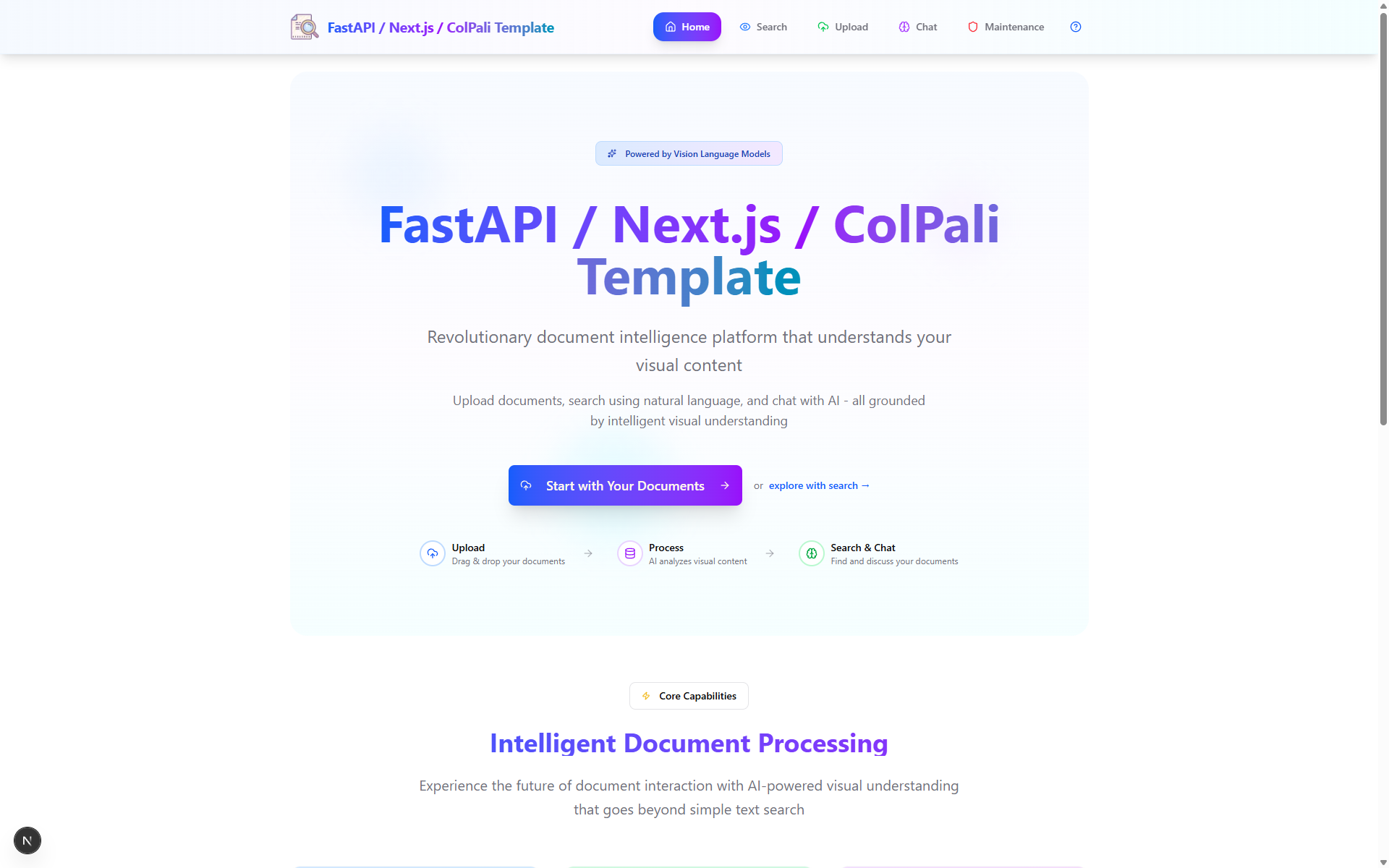
|
Upload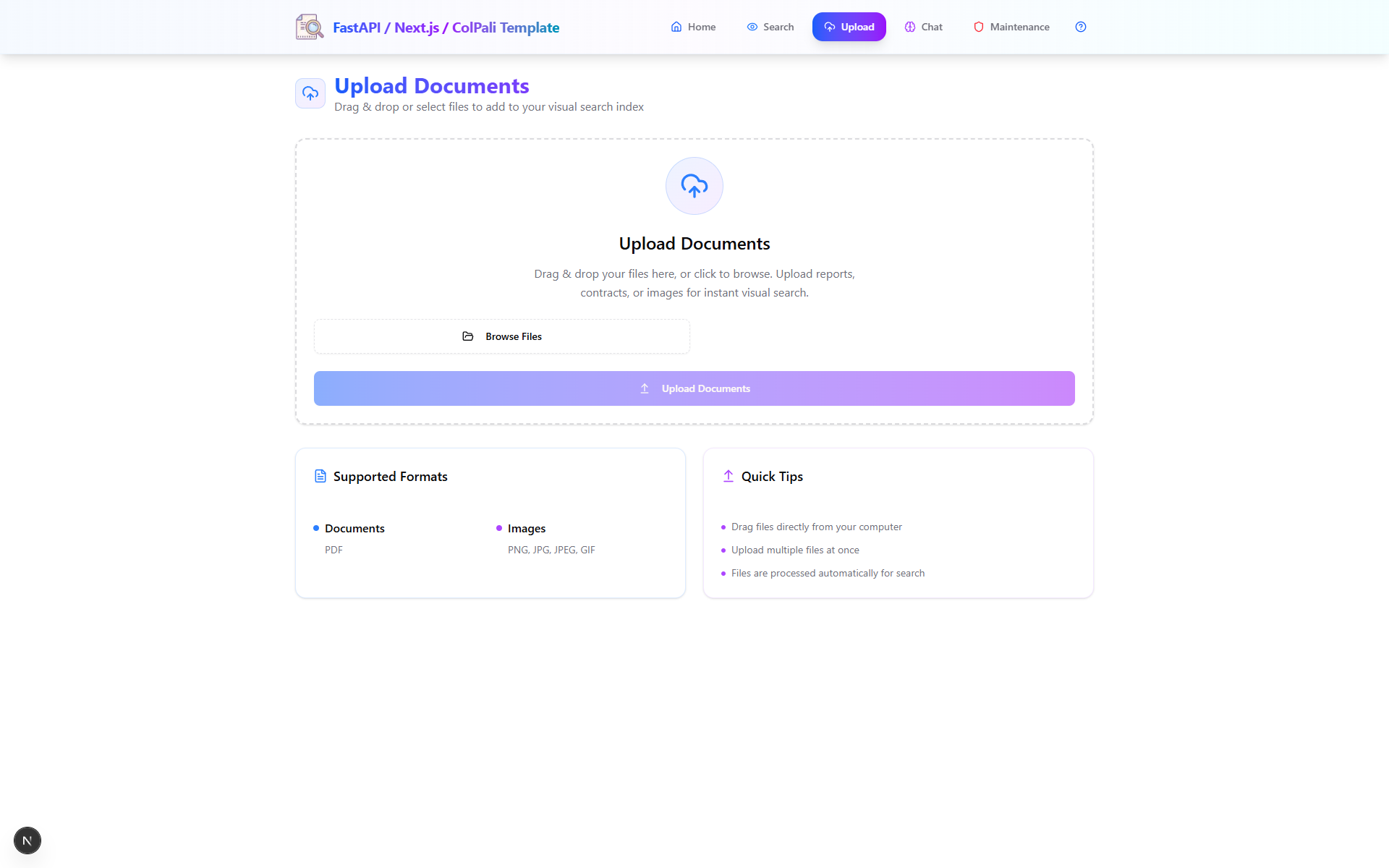
|
Search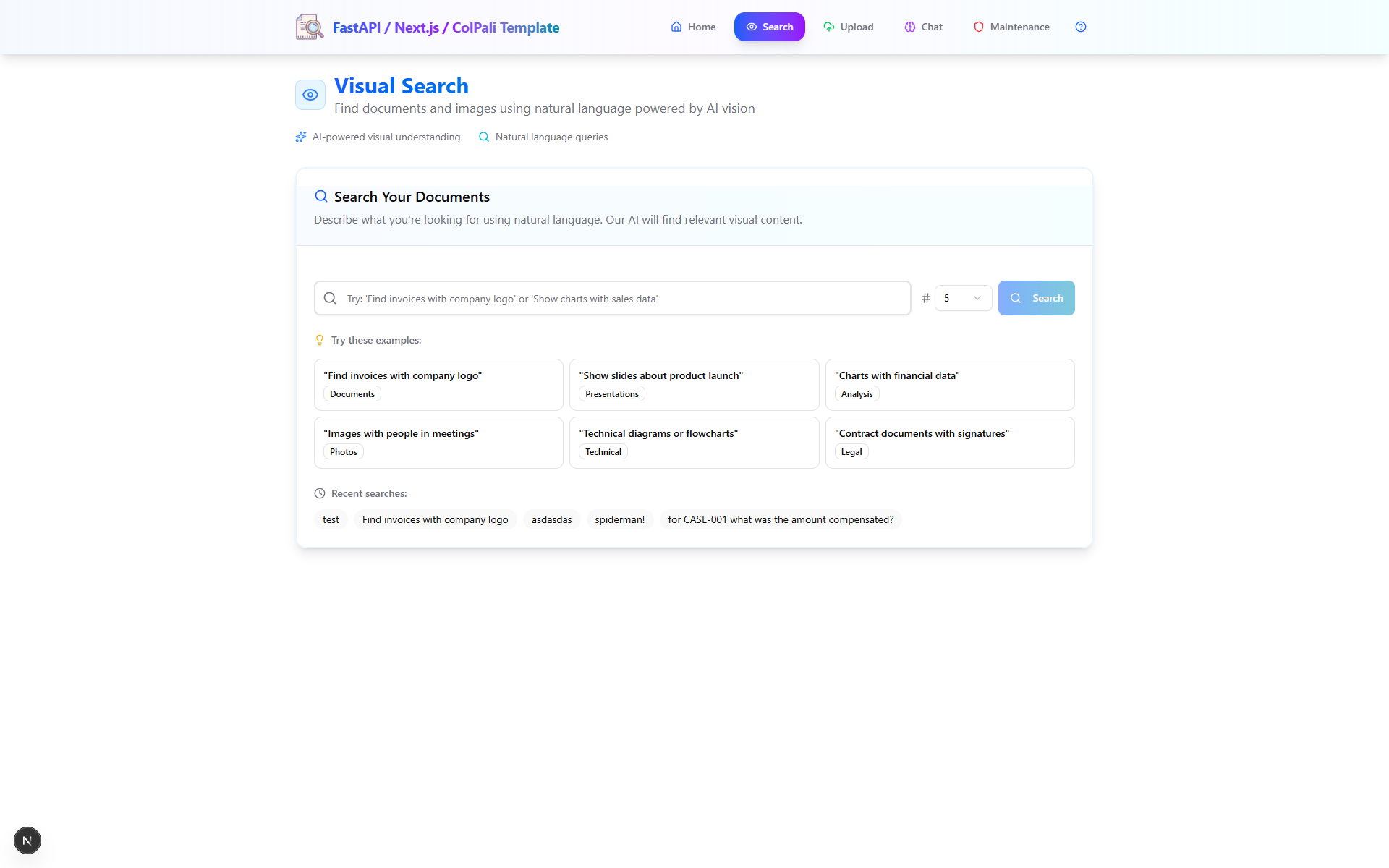
|
Chat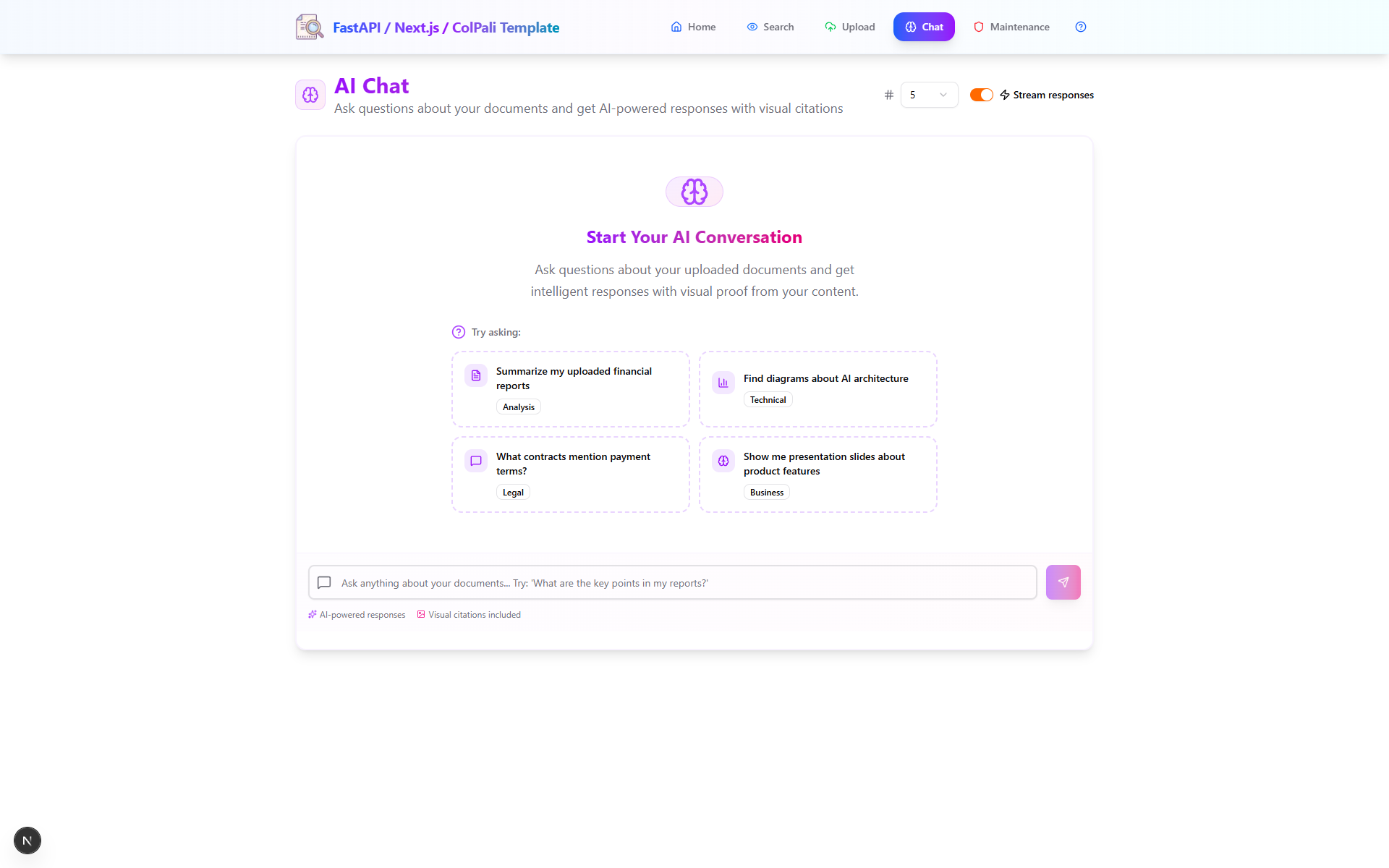
|
Maintenance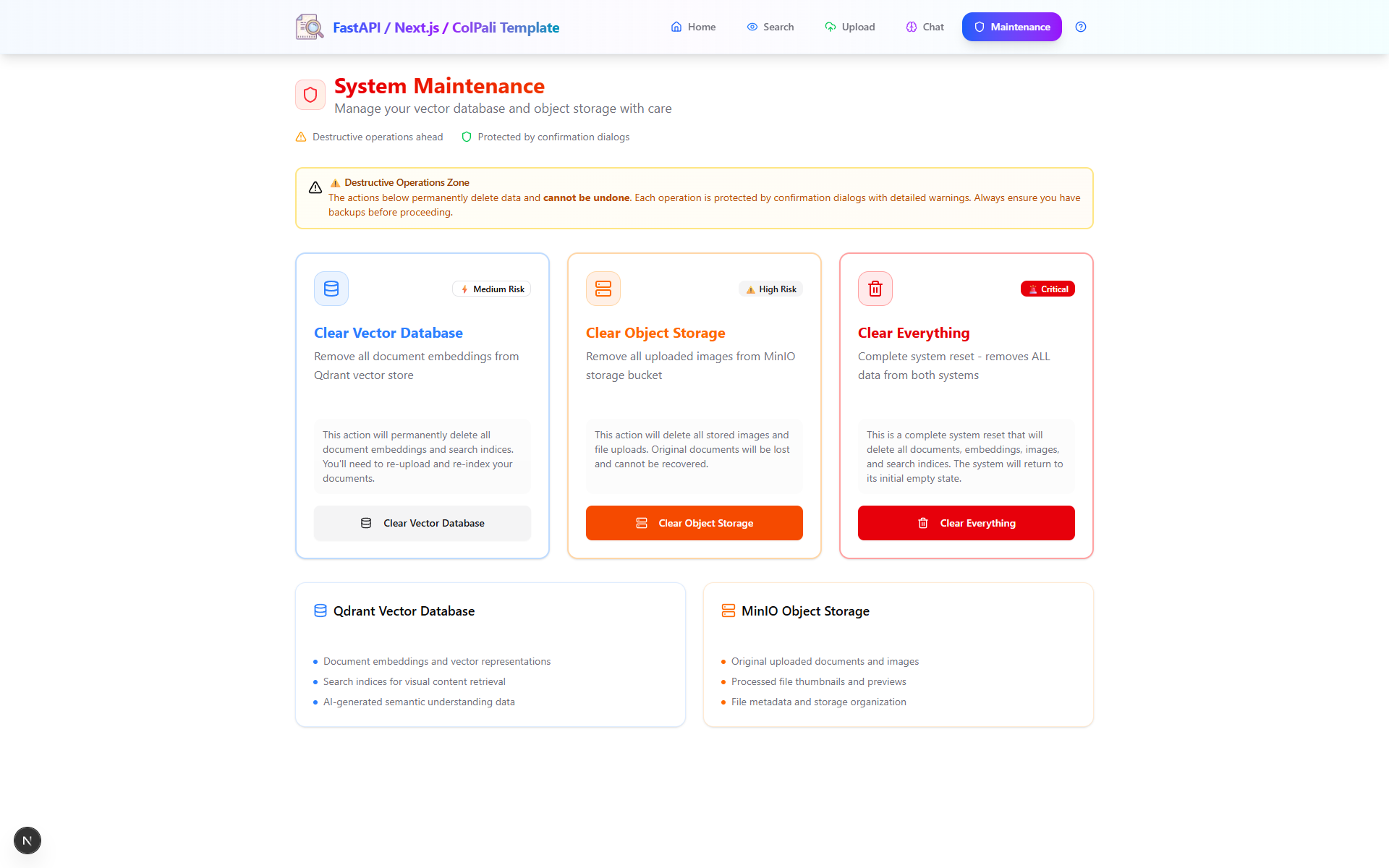
|
About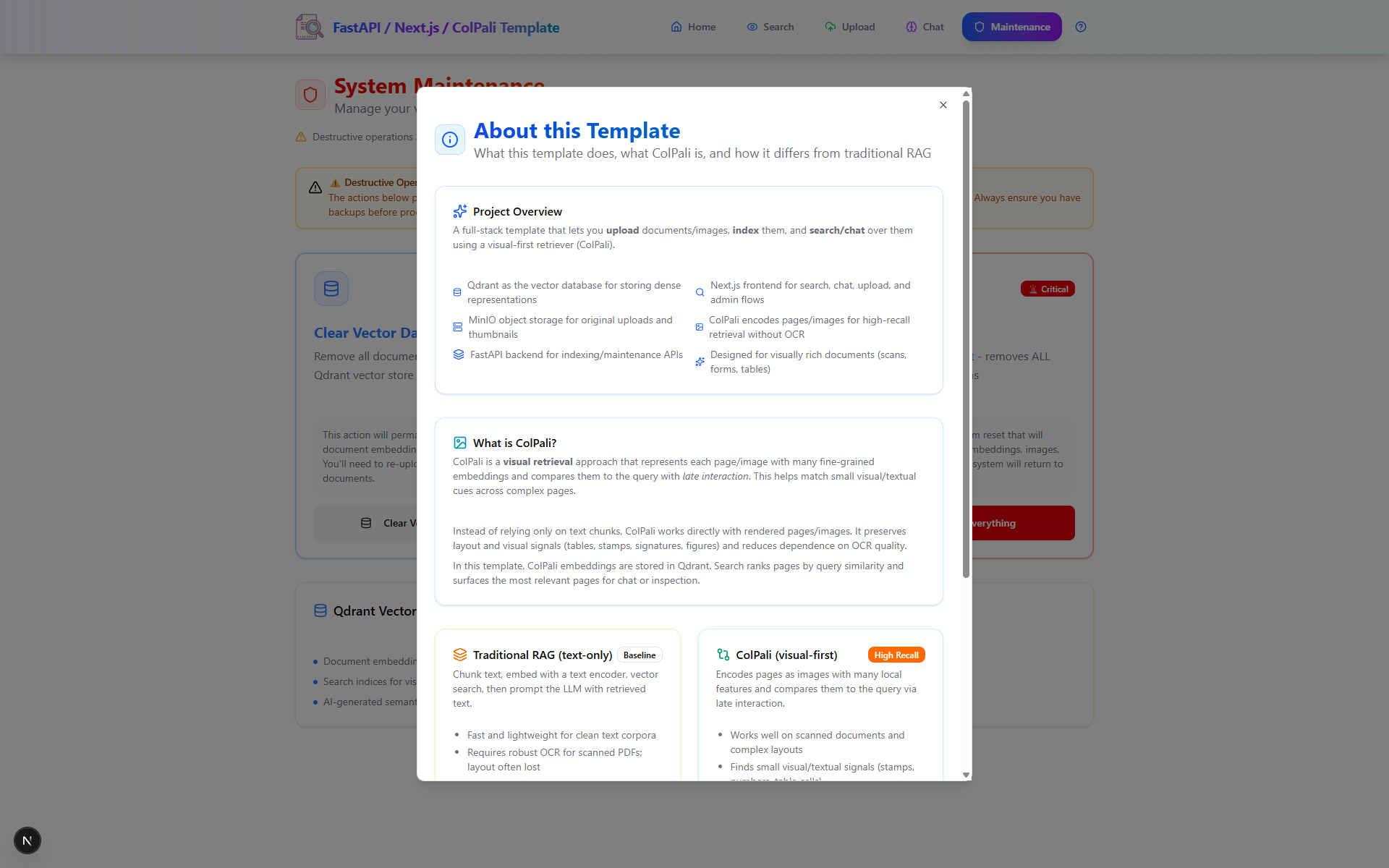
|
Indexing Flow
- PDF → images (
pdf2image.convert_from_path) - Images → embeddings (external ColPali API)
- Save images to MinIO (public URLs)
- Upsert embeddings (original + mean‑pooled rows/cols) to Qdrant with payload metadata
Retrieval Flow
- Query → embedding (ColPali API)
- Qdrant multivector prefetch (rows/cols), then rerank with
using="original" - Fetch top‑k page images from MinIO
- Stream an OpenAI‑backed answer conditioned on user text + page images
Quickstart (Docker Compose)
# 1) Configure env
cp .env.example .env
# Set OPENAI_API_KEY / OPENAI_MODEL
# Choose COLPALI_MODE=cpu|gpu (or set COLPALI_API_BASE_URL to override)

# 2) Start the ColPali Embedding API (separate compose, from colpali/)
# CPU at http://localhost:7001 or GPU at http://localhost:7002
docker compose -f colpali/docker-compose.yml up -d api-cpu  # or api-gpu

# 3) Start all services
docker compose up -d

# Services
# Qdrant:   http://localhost:6333  (Dashboard at /dashboard)
# MinIO:    http://localhost:9000  (Console: http://localhost:9001, user/pass: minioadmin/minioadmin)
# API:      http://localhost:8000  (OpenAPI: http://localhost:8000/docs)
# Frontend: http://localhost:3000   (if enabled)
Open the docs at http://localhost:8000/docs and try the endpoints.
Local Development (without Compose)
- Install Poppler (needed by
pdf2image). Ensurepdftoppm/pdftocairoare inPATH. - Create a venv, install requirements, run Qdrant/MinIO (Docker is fine), then:
cp .env.example .env
# set OPENAI_API_KEY, OPENAI_MODEL, QDRANT_URL, MINIO_URL, COLPALI_API_BASE_URL
uvicorn backend:app --host 0.0.0.0 --port 8000 --reload
Environment Variables (high‑value ones)
- Core:
LOG_LEVEL,HOST,PORT,ALLOWED_ORIGINS - OpenAI:
OPENAI_API_KEY,OPENAI_MODEL - ColPali:
COLPALI_MODE(cpu|gpu),COLPALI_CPU_URL,COLPALI_GPU_URL,COLPALI_API_BASE_URL(overrides),COLPALI_API_TIMEOUT - Qdrant:
QDRANT_URL,QDRANT_COLLECTION_NAME,QDRANT_SEARCH_LIMIT,QDRANT_PREFETCH_LIMIT - Qdrant (storage/quantization):
QDRANT_ON_DISK,QDRANT_ON_DISK_PAYLOAD,QDRANT_USE_BINARY,QDRANT_BINARY_ALWAYS_RAM,QDRANT_SEARCH_RESCORE,QDRANT_SEARCH_OVERSAMPLING,QDRANT_SEARCH_IGNORE_QUANT - MinIO:
MINIO_URL,MINIO_PUBLIC_URL,MINIO_ACCESS_KEY,MINIO_SECRET_KEY,MINIO_BUCKET_NAME,MINIO_WORKERS - Processing:
DEFAULT_TOP_K,BATCH_SIZE,WORKER_THREADS,MAX_TOKENS
See .env.example for a minimal starting point.
ColPali API contract (expected)
The backend expects a ColPali‑style embedding API with endpoints:
GET /health→ 200 when healthyGET /info→ JSON including{ "dim": <int> }POST /patcheswith{ "dimensions": [{"width": W, "height": H}, ...] }→{ "results": [{"n_patches_x": int, "n_patches_y": int}, ...] }POST /embed/querieswith{ "queries": ["...", ...] }→{ "embeddings": [[[...], ...]] }POST /embed/images(multipart) → objects per image includingembedding,image_patch_start,image_patch_len
Ensure your embedding server matches this contract to avoid client/runtime errors.
Data model in Qdrant
Each point stores three vectors (multivector):
original: full token sequencemean_pooling_rows: pooled by rowsmean_pooling_columns: pooled by columns
Payload example:
{
  "index": 12,
  "page": "Page 3",
  "image_url": "http://localhost:9000/documents/images/<id>.png",
  "document_id": "<id>",
  "filename": "file.pdf",
  "file_size_bytes": 123456,
  "pdf_page_index": 3,
  "total_pages": 10,
  "page_width_px": 1654,
  "page_height_px": 2339,
  "indexed_at": "2025-01-01T00:00:00Z"
}
Binary quantization (optional)
Enable Qdrant binary quantization to reduce memory and speed up search while preserving quality via rescore/oversampling.
- Set in
.env:QDRANT_USE_BINARY=True,QDRANT_BINARY_ALWAYS_RAM=True(optionallyQDRANT_ON_DISK=True,QDRANT_ON_DISK_PAYLOAD=True) - Tune search:
QDRANT_SEARCH_RESCORE=True,QDRANT_SEARCH_OVERSAMPLING=2.0,QDRANT_SEARCH_IGNORE_QUANT=False - Apply changes: clear the collection (
POST /clear/qdrant) and re‑index
Using the API
GET /health— check dependenciesGET /search?q=...&k=5— top‑k results with payload metadataPOST /index(multipartfiles[]) — upload and index PDFsPOST /chat— JSON body with query/options; returns full text and retrieved pagesPOST /chat/stream— same body; streamstext/plaintokensPOST /clear/qdrant | /clear/minio | /clear/all— maintenance
API Examples
# Search
curl "http://localhost:8000/search?q=What%20is%20the%20booking%20reference%3F&k=5"

# Chat (non‑streaming)
curl -X POST http://localhost:8000/chat \
  -H 'Content-Type: application/json' \
  -d '{
    "message": "What is the booking reference for case 002?",
    "k": 5,
    "ai_enabled": true
  }'
Why ColPali‑style Retrieval Here?
- Handles interleaved text+images directly — no lossy OCR pipeline
- Preserves layout structure (tables, charts, code blocks, equations)
- Plays nicely with multivector late‑interaction search
- Pairs well with Qdrant’s prefetch+rereank pattern
If you read my previous post, you’ll also recognize mean‑pooled vectors for fast prefetch and final reranking with full‑res embeddings — the same spirit is here.
Troubleshooting
- OpenAI: Verify
OPENAI_API_KEYandOPENAI_MODELif responses error. - ColPali API: Ensure the service is up and reachable (
GET /health) atCOLPALI_API_BASE_URLor via mode URLs. - Patch metadata mismatch: Ensure
image_patch_start/image_patch_lenare returned by/embed/images. - Qdrant/MinIO reachability: Check
docker compose psand URLs. - Binary quantization toggles: Recreate the collection (e.g.,
POST /clear/qdrant) and re‑index after changing flags. - Poppler on Windows: Install Poppler and add
bin/toPATHsopdf2imagecan findpdftoppm. - Large PDFs on low VRAM: Reduce
BATCH_SIZEinconfig.py.
Credits & Links
- Template repo: https://github.com/athrael-soju/fastapi-nextjs-colpali-template
- Component READMEs: backend, frontend, colpali
- ColQwen FastAPI (Dependency): https://github.com/athrael-soju/little-scripts/tree/main/colqwen_fastapi
- Earlier exploration: /blog/little-scripts/colnomic-qdrant-rag
I hope you find this useful! Let me know if you have any questions or run into any issues.
Just kidding, nobody makes it this far, lel